![pdfforge_fav-2.png]](https://support.pdfforge.org/hs-fs/hubfs/pdfforge_fav-2.png?height=40&name=pdfforge_fav-2.png)
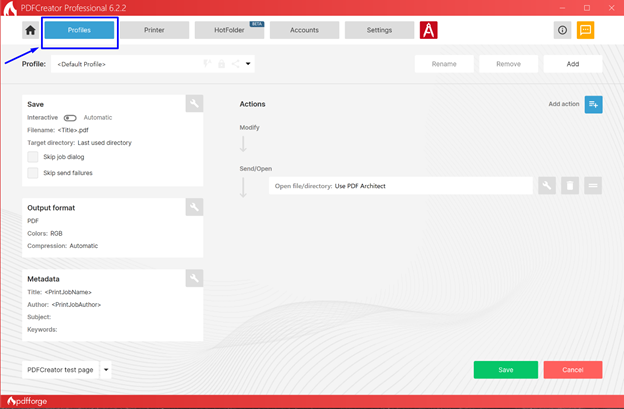
For example, one profile can:
- save the document as a PDF
- automatically store it in a specific folder
- apply a predefined file-naming scheme
- compress images
- add a watermark
- send the resulting file by email.
Another profile can:
- create PDF/A files for archiving
- password-protect documents
- send them to an FTP server
How it works
When a user prints a document to the PDFCreator printer:
- PDFCreator receives the print job.
- A profile is selected.
- The profile executes its configured actions.
- The document is saved, delivered, or processed according to the profile settings.
Typical example
Suppose an accounting department saves invoices every day.
You can create an "Invoices" profile that:
- automatically saves PDFs to \\Server\Invoices
- uses a filename format such as:
- applies a digital signature,
- sends a copy to a shared mailbox.
Invoice_<DateTime>.pdf
In this case, the user only needs to click Print → PDFCreator, and everything else happens automatically.
What a profile can contain
A profile can typically include:
- output format (PDF, PDF/A, JPEG, PNG, TIFF, etc.)
- quality settings
- file-naming rules
- automatic saving
- post-conversion actions
- password protection
- digital signatures
- watermarks
- cover pages and attachments
- execution of scripts or external programs
- uploads to cloud services.
Why profiles are useful
Profiles are especially valuable for:
- document workflow automation
- accounting departments
- legal departments
- high-volume document processing
- Terminal Server environments
- enterprise deployments through GPO
In practice, profiles are one of PDFCreator’s most powerful features. Most enterprise use cases for PDFCreator Professional, Terminal Server, and Server are built around properly configured profiles.